

Key Takeaways
- Great explainer videos focus on one central message rather than trying to explain everything.
- The right format depends on the product, audience, budget, and communication challenge.
- Strong scripts usually follow a simple problem-solution-benefit structure.
- Storyboarding can identify problems before expensive production begins.
- Animation, live action, screencasts, and motion graphics can all be effective.
- Professional production can turn a complicated subject into an engaging story that remains useful for years.
Table of Contents
Who reads the instructions in the box? No one. We throw them aside, open YouTube on our phones, and find someone who can show us what to do in 90 seconds.
There’s a lesson in that for brands. When something is complicated, most people don’t want more information. Customers want a clearer explanation with step-by-step instructions.
That is where a great explainer video comes in. Whether you are introducing a new app, explaining a financial service, demonstrating a piece of technology, or communicating a complicated business idea, video can turn complexity into something people understand in minutes.
But knowing how to create explainer videos is about more than adding animation to a voiceover. The strongest films combine a clear idea, concise script, thoughtful visual storytelling, professional production, and a compelling call to action.
So, how do you make an explainer video that people will watch? This guide takes you through the process, from the first idea to the final edit. We’ll also look at different production styles, costs, and what separates an average explainer from a great one.
What Are Explainer Videos and Why Do You Need One?
What are explainer videos? At their simplest, they are short videos designed to explain an idea, product, service, or process quickly and clearly.
Unlike a conventional advertisement, an explainer video usually starts with understanding. What problem does the audience have? How does the company solve it? And why should the viewer care?
This makes explainer videos particularly valuable for businesses with complicated products or services. A software company might need to demonstrate a new platform. A financial institution may need to simplify an unfamiliar service. Meanwhile, a technology company might need to translate a highly technical concept into something customers can immediately understand.
Video can do this by combining words, images, animation, graphics, demonstrations, and sound. Instead of asking someone to read several pages of copy, a company can communicate the same idea in a short, engaging story.
Good explainers can also save customers time, improve engagement, make a brand more memorable, and help move viewers toward a purchase or enquiry.
However, the goal isn’t to explain everything. A great explainer identifies the one thing the audience needs to understand and builds the story around it.
Key Types of Explainer Videos
There is no single formula for making explainer videos. The right production style depends on what you need to communicate.
Animated Explainer Videos
Animation, and now AI, is particularly effective when the subject cannot easily be filmed.
Software, data, financial systems, artificial intelligence, logistics, and other abstract ideas can be transformed into visual stories using 2D or 3D animation or AI graphics.
If you’re wondering how to make an animated explainer video, start with the idea rather than the animation technique. Every visual should help explain the message. Animation for animation’s sake can quickly become distracting.
A distinctive visual style can also become part of the company’s brand identity.

Live-Action Explainer Videos
Sometimes the most powerful way to explain something is simply to show it.
Live action works particularly well for physical products, hospitality, healthcare, manufacturing, professional services, and lifestyle brands. It brings people into the story.
A presenter might demonstrate a product. An employee could explain a service. Alternatively, customers can describe how a company solved their problem.
That human presence can create something animation sometimes struggles to deliver: trust.
Whiteboard Animation
Whiteboard animation strips an idea down to its essentials.
Simple illustrations appear as the narrator explains the concept. As a result, viewers can follow the argument visually as it develops.
The format can work particularly well for education, training, B2B communication, and subjects where understanding matters more than cinematic production.
Screencasts and Product Demonstrations
For software companies, sometimes the product itself should be the star.
A screencast can take viewers through an interface, demonstrate a workflow, or explain a particular feature. Motion graphics, callouts, zooms, and animated text can then direct attention to important details.
However, simply recording someone navigating software rarely makes a great explainer video. The demonstration still needs a story, pacing, and a clear reason for the viewer to keep watching.
How to Make an Explainer Video: Step-by-Step Process
1. Clarify the Goal and Target Audience
Before writing anything, decide what the video needs to accomplish.
Who are you speaking to? What problem do they have? What about the product could seem overly complicated to the customer? What do they already know? Most importantly, what should they think, feel, or do after watching?
Try completing this sentence:
After watching this video, the audience should understand that ____________.
If that blank requires an entire paragraph, the idea probably isn’t focused enough.
2. Write a Tight Script
The script is the foundation of the production.
A simple structure works remarkably well:
Problem → Solution → Benefit → Action
Start by establishing something the viewer recognizes. Then introduce the solution and demonstrate how it improves their situation. Finally, give them a clear next step.
Keep the language conversational. Technical jargon might be familiar inside your company, but your audience may not understand it. Stay far away from acronyms.
Reading the script aloud also helps. Sentences that look perfectly acceptable on a page can sound painfully unnatural when spoken.
And be ruthless with unnecessary words. If a sentence doesn’t help explain the idea or move the story forward, consider cutting it.
3. Create a Storyboard
Once the script works, decide what the audience will see.
A storyboard maps visuals against the narration before production begins. It doesn’t need to be a work of art. Simple sketches, reference photographs, or basic frames can reveal whether the story works visually.
This stage is especially important when learning how to make an animation explainer video. Animation can be time-consuming to change once production is underway. A strong storyboard allows the client and production team to solve problems earlier.
It also forces an important question:
Are we showing the story, or simply illustrating the words?
The best explainer videos use effective visuals to add information rather than repeating exactly what the narrator is saying.
4. Production and Animation
Now the storyboard becomes a finished production.
For live action, this might involve locations, presenters, actors, lighting, cameras, sound recording, and art direction.
Animation requires a different workflow. Illustrators and animators may create custom characters, icons, environments, 3D models, kinetic typography, and motion graphics. Character rigging can create natural movement, while animated charts can turn complicated data into information viewers can understand immediately.
Voiceover is equally important. The right voice helps establish personality, credibility, and pace.
These elements should all feel like parts of the same brand rather than separate creative decisions.
5. Post-Production Editing
Post-production brings everything together.
Editors refine timing and pacing while sound designers add depth. Music establishes mood. Color correction creates visual consistency (especially where brand colors are critical), while graphics and captions help reinforce important information.
Captions are particularly important because viewers may encounter the video without sound, especially on social media.
Finally, the production team should create versions suited to different platforms. A homepage video, LinkedIn post, YouTube film, and vertical social edit may all require different framing, lengths, and calls to action.
Great Explainer Video Examples to Inspire Your Brand
Rather than copying another company’s film, it is more useful to understand why successful explainer video examples work.
Here are three formats worth considering.
Animated Explainer: Simplifying the Complex
AsiaWorks Example: Visa – A History of Money
Why it worked:
How do you tell thousands of years of financial history in just three minutes? For Visa, AsiaWorks created a playful 2D animated journey from ancient bartering to modern digital payments. Using a recurring animated character, visual humour, sound effects, and seamless transitions between different eras, the film transforms a potentially dry subject into an entertaining and accessible story.
Rather than overwhelming viewers with facts, the animation uses simple visual storytelling to illustrate how the exchange of value has evolved over time, naturally positioning Visa within that continuing story. It’s a great example of how animation can simplify complex subjects while keeping audiences engaged from beginning to end.
Live-Action Explainer: Putting People into the Story
Some complex subjects are best explained by the people who understand them. Live-action video brings expertise, personality and credibility to the screen, making technical or unfamiliar topics more accessible. By combining interviews with carefully chosen footage, graphics and thoughtful editing, businesses can communicate complicated ideas through compelling human stories rather than corporate presentations.
AsiaWorks Example: Standard Chartered – The Future of Digital Assets
Why it worked:
How do you explain the rapidly evolving world of digital assets, tokenisation and institutional finance to an audience that may not understand the technology behind them?
For Standard Chartered, AsiaWorks brought together voices from across the digital asset ecosystem to explain how traditional finance and emerging technologies are converging. Rather than relying on a single corporate spokesperson, the film draws on multiple perspectives, combining interviews with dynamic city footage, workplace scenes and clean, understated motion graphics.
The editing connects these different voices into a coherent narrative, while on-screen graphics reinforce key concepts such as tokenisation, security, regulation and 24/7 capital movement. The result is a film that makes a highly technical subject easier to understand while positioning Standard Chartered as a credible, forward-looking participant in the digital asset economy.
It’s a strong example of how live-action storytelling can humanise complex ideas, build trust and communicate expertise without sacrificing clarity or engagement.
Hybrid Explainer: Combining Film and Animation
For many corporate subjects, the strongest approach combines live-action filmmaking with animation and motion graphics. Real people bring authenticity, personality and credibility, while graphics help explain complex information, visualise data and connect different elements of a story. Advances in visual effects and AI-generated imagery are creating even more opportunities to blend filmed footage with imaginative visual storytelling.
This approach works particularly well for technology, financial services and other industries where complex information needs to be communicated in an engaging, accessible way.
AsiaWorks Example: Mastercard – In The Loop
Why it worked:
How do you make economic research and consumer spending data engaging enough for audiences to watch, understand and remember?
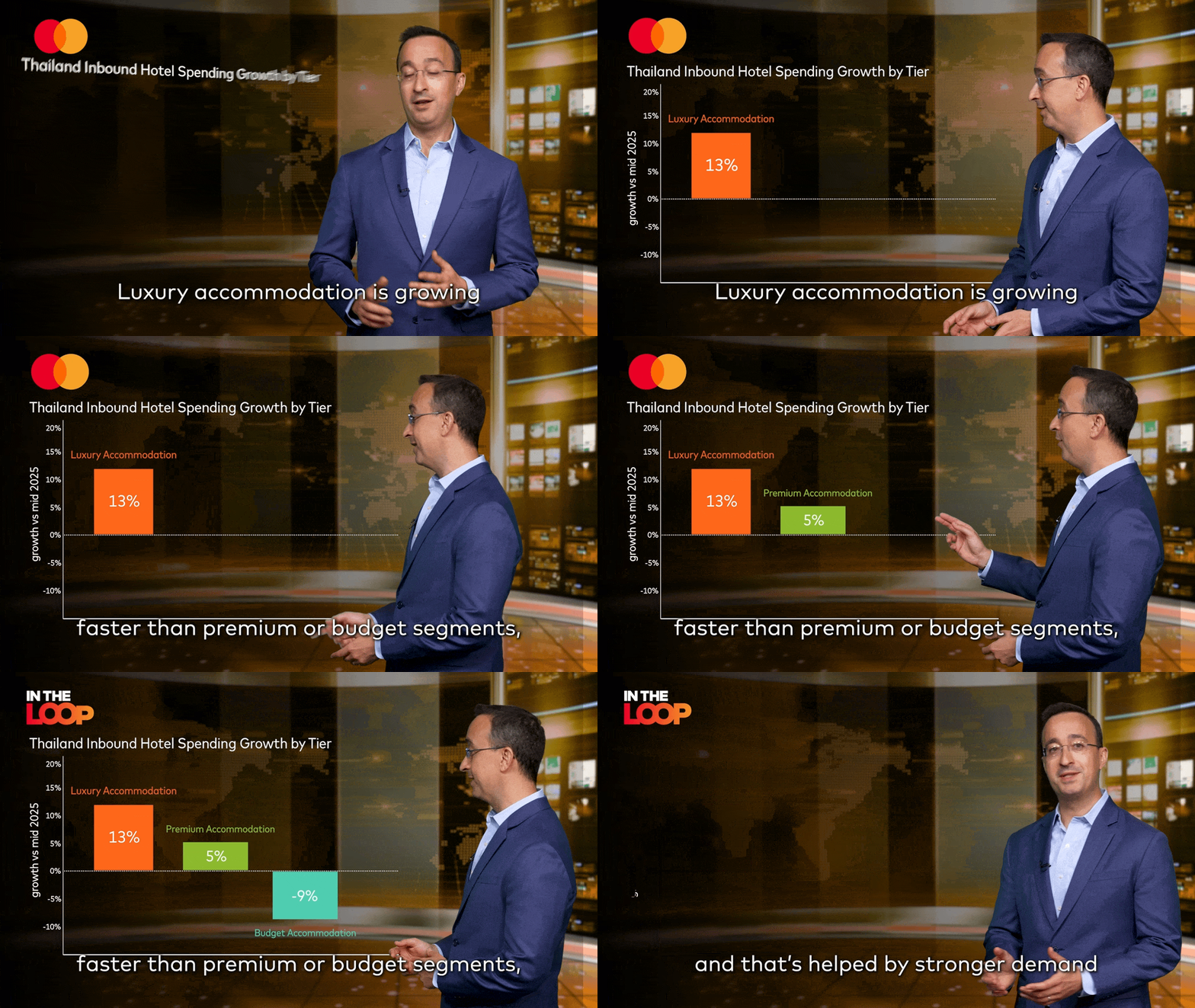
For Mastercard’s award-winning In The Loop series, AsiaWorks combined live-action presenters, real-world footage and animated graphics to transform complex economic insights into an entertaining, fast-paced video format.
The creative approach places presenters within dynamic visual overlays, using motion graphics, text on screen, split screens, animated statistics and seamless transitions to bring the research to life. Rather than simply talking through charts and figures, presenters interact and gesture around graphical elements, while relevant footage illustrates how economic trends affect real people and businesses.
The result is a distinctive, broadcast-quality format that makes complex financial information accessible without oversimplifying it. It’s a strong example of how combining live action and animation can turn potentially dry corporate content into engaging, memorable storytelling.
Whatever the format, the best explainer video examples share a common characteristic: they put the audience first, using the right combination of storytelling and visual techniques to make complicated ideas easier to understand.
How Much Does It Cost to Create an Explainer Video?
There is no single answer to how much does it cost to create an explainer video. A straightforward screencast requires very different resources from custom 3D animation or a live-action production filmed across several locations.
Explainer Video Type | Indicative AsiaWorks Range |
Screencast / Product Demo | US3,500–8,000+ |
2D Animated Explainer | US6,000–15,000+ |
Advanced Motion Graphics | US10,000–25,000+ |
3D Animated Explainer | US15,000–40,000+ |
Live-Action Explainer | US12,000–35,000+ |
Hybrid Live Action + Animation | US18,000–45,000+ |
***These are indicative investment ranges. Final pricing depends on scope, complexity, number of deliverables, and timeline. Contact AsiaWorks for a tailored quote.
When asking how much does it cost to make an explainer video, consider more than the final running time.
A 60-second custom animation could require weeks of illustration and animation. Meanwhile, a two-minute interview-based film might require a full crew, studio, equipment, talent, and several days of post-production.
Script development, voiceover talent, music licensing, locations, graphics, revisions, and additional versions can also affect the budget.
However, an explainer video shouldn’t necessarily be viewed as a one-off expense. A strong film can live on a company’s homepage or product pages for years. It can also be adapted for presentations, sales meetings, onboarding, events, social media, and paid campaigns.
That makes a well-produced explainer a long-term communication asset for any brand.
Partnering with AsiaWorks for Professional Explainer Video Production
There are more DIY video tools available than ever. They can certainly help create basic content.
However, software doesn’t necessarily solve the hardest part of how to create explainer videos: deciding what story to tell.
Professional production begins by simplifying the message. At AsiaWorks, that means understanding the audience and communication challenge before cameras roll or animation begins.
Professional scripting also prevents explainers from becoming overloaded with technical information. Creative direction then determines the best way to visualize the story, whether through animation, live action, graphics, demonstrations, or a combination of formats.
Production quality matters too. Experienced directors, cinematographers, animators, editors, voiceover artists, AI graphics creators and sound designers can make even a complicated subject feel effortless.
Just as importantly, outsourcing production removes much of the workload from internal marketing teams. A professional production company can manage the process from concept and script through storyboarding, production, animation, post-production, and final delivery.
The client shouldn’t need to become a video producer to produce a great video.
Making Complex Ideas Simple
The best explainer videos don’t feel complicated, they feel like a quick, simple lesson. That’s precisely why they work.
Behind that simplicity, however, is usually a considerable amount of thinking. The team has identified the audience, stripped away unnecessary information, developed a focused script, chosen the right visual language, and carefully shaped every frame. AsiaWorks understands this process well.
Whether you’re considering how to make an explainer video, how to make an animated explainer video, or how to explain an entirely new business idea, start with clarity.
One audience. One problem. One central message.
Get those right, and everything else has something solid to build on.
Explainer Video FAQs
1) How long should an explainer video be?
There is no perfect length, but most explainer videos should be as short as the idea allows. Around 60–120 seconds can work well for a straightforward product or service. More complex B2B subjects may need longer.
Don’t cut important information simply to reach an arbitrary running time. However, every additional second should earn its place. Remember, the modern audience doesn’t spare much time for learning even the most complicated of products or services.
2) Can AI tools make a full explainer video?
AI can already assist with research, scripts, rough storyboards, voice generation, image creation, and some animation tasks. These tools can accelerate parts of the production process.
However, creating a polished explainer still requires judgment. Someone needs to determine the central idea, understand the audience, establish the tone, identify what to leave out, and shape the emotional rhythm of the film. Human creative direction, storytelling, and precise editing remain particularly important when the video represents a company’s brand.
3) Where should you distribute your explainer video?
Start wherever customers are most likely to encounter the problem your video solves.
A homepage is an obvious location for a company-level explainer. Product and feature pages work well for more specific films. Explainers can also support onboarding flows, sales presentations, email campaigns, events, YouTube, LinkedIn, and paid social advertising.
Consider creating several versions rather than forcing one edit to work everywhere.